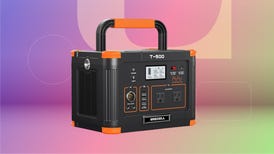
D-Link DCS-2100+ wireless Internet camera

CNET Editors' Rating

3.5 stars
    Overall score: 7.3 (3.5 stars)

Very good

Average User Rating

15 reviews

As shown: $299.99

See manufacturer site for availability
Set price alert
D-Link DCS-2100+ wireless Internet camera - front D-Link DCS-2100+ wireless Internet camera - back D-Link DCS-2100+ wireless Internet camera - side D-Link DCS-2100+ wireless Internet camera - above
Scroll Left Scroll Right
  • D-Link DCS-2100+ wireless Internet camera - front
  • D-Link DCS-2100+ wireless Internet camera - back
  • D-Link DCS-2100+ wireless Internet camera - side
  • D-Link DCS-2100+ wireless Internet camera - above

CNET Editors' Review

CNET Editors' Rating

3.5 stars Very good
    Overall score: 7.3 (3.5 stars)
  • Setup and ease of use: 7.0
  • Features and security: 7.0
  • Performance: 8.0
  • Service and support: 7.0
  • Reviewed by: Brian Nadel
  • Released on:
  • Reviewed on:

The good: Streams video to a connected computer; excellent surveillance software; good range; records video and snapshots; motion detector with e-mail alerts.

The bad: Short one-year warranty; can?t zoom or control camera remotely.

The bottom line: The DCS-2100+ offers affordable, capable wireless surveillance for the home or a small office, but it lacks the features for truly sensitive situations.

Review: If you want to keep an eye on your home or office without stringing wires everywhere, D-Link's DCS-2100+ wireless video camera can help. It gives you acceptable pictures and the ability to receive an e-mail alert if anything moves. Getting it all to work is a two-hour job, but it's worth it because the excellent suite of surveillance software can monitor as many as 16 different cameras. D-Link's DCS-2100+ has built-in Wi-Fi, and it connects directly to 802.11b or 802.11g networks. It lacks a zoom function and a remote control, but the DCS-2100+ is the ... Expand full review
If you want to keep an eye on your home or office without stringing wires everywhere, D-Link's DCS-2100+ wireless video camera can help. It gives you acceptable pictures and the ability to receive an e-mail alert if anything moves. Getting it all to work is a two-hour job, but it's worth it because the excellent suite of surveillance software can monitor as many as 16 different cameras. D-Link's DCS-2100+ has built-in Wi-Fi, and it connects directly to 802.11b or 802.11g networks. It lacks a zoom function and a remote control, but the DCS-2100+ is the best low-cost surveillance system we've seen.The package comes with a camera and a stand, an AC adapter, and a six-foot Cat-5 cable. A CD contains the installation and surveillance software; for documentation you get a well-organized and thorough, 102-page manual and a handy, 10-page start-up guide.

The initial installation requires plugging the camera into AC and connecting it via a wired Ethernet connection to a PC running Windows 98 SE or later (sorry, no Macs). Then you run the IP Installer from the CD; it sniffs the network for the camera, then launches a wizard that lets you change the IP address and configure the camera's wireless settings. After you have configured the camera to join your network, you can pull the Ethernet plug and install the camera anywhere within range of your wireless network. The included stand and mounting bracket make the physical installation easy. The camera doesn't take batteries, so you'll need to have an AC outlet within range of its six-foot power cord.

The camera's single, green LED glows, showing it's ready. Open an Internet Explorer window (the camera requires IE 5 or higher) and enter its IP address; a stream of 320x240-pixel video appears, complete with a time and date stamp. It can also send 160x120 video.

The core of the software package is the IP Surveillance suite, which has Monitor and Playback programs and provides a slew of recording and viewing features. The application is easy to install and run, but it takes up the entire screen, and the image stretches awkwardly to fit anything other than a traditional 4:3 display. You can view as many as 16 different video streams in a variety of formats.The DCS-2100+ has a good feature set that includes a motion detector and the ability to monitor up to 16 cameras simultaneously. It can alert you of intruders via e-mail, or it can start an external application that can make a recording or play an alert sound. You can't remotely aim, focus, or zoom it, though.

The DCS-2100+ transmits acceptable-quality (30 frames per second) video, with excellent sound synchronization. Under the best of circumstances, its output has a red cast to it in spite of an automatic white balance, and in a dark setting, the output is grainy, black-and-white video. The camera is not weatherproof, so you must mount it behind a window to monitor outdoor areas.

D-Link Ant24-0801 Pico Cell Patch antenna for even better range. The DCS-2100+'s data stream imposed no noticeable burden upon our network, even while we had six additional data streams running.We wish the D-Link DCS-2100+'s one-year warranty were longer, like the three-year warranty that the company offers on some of its other wireless networking products. The D-Link Web site is very helpful. It's searchable and organized by product. It offers downloadable firmware, replacement applications, and diagrams that explain how the camera fits into your network. At any time, you can tap into the company's extensive knowledge base or call its 24/7 phone support for help. Unfortunately, the Web site lacks a video-based training guide, something that the company offers for several other products. Hide Review

Average User Rating

2.5 stars out of 15 user reviews

Rating Breakdown

  • 5 star: 4
  • 4 star: 1
  • 3 star: 2
  • 2 star: 4
  • 1 star: 4

My Rating

0 stars click stars to rate product

Most Helpful User Review

1.5 stars 9 of 9 users found this review helpful

"WiFi mode a problem! Please note!" By PeterHS

Pros Do not know yet....

Cons Could not get WiFi working on D-Link cameras

Summary I bought three D-Link WiFi cameras. They worked just fine on wired Ethernet. They would not work at all on WiFi (I even have a 15dB gain antenna so its not a signal issue!) and would not connect from even 10 feet away. Clearly others here have had this problem. ... Expand full review

Most Recent User Reviews (Showing 2 of 15 reviews)

Where to Buy

MSRP: $299.99
See manufacturer site for availability
Set price alert

Sponsored Premier Brands on CNET

Where to Buy

MSRP: $299.99
See manufacturer site for availability
Set price alert

Which Wireless Network is right for me?

Laptop Finder

With so many possible ways to build a network, it pays to home in on the solution that best suits your needs before you buy.

We've compiled a handful of typical user profiles that should help outline what type of wireless network is right for you.

Read our guide