ie8 fix

Google Nexus 7 (32GB, HSPA+) review: Still the best small tablet

See all models
Slide 2
Slide 3
Slide 4
Slide 5
Slide 6
Slide 7
Slide 8
Slide 9
Slide 10
Slide 11
Slide 12
Slide 13
Slide 14
Slide 15
Slide 16
Previous
Next

CNET Editors' Rating

4.0 stars Excellent

CNET Editors' Rating

4.0 stars Excellent
  • Overall rating: 8.3
  • Design: 8.0
  • Features: 9.0
  • Performance: 8.0
Review Date:

Average User Rating

3.5 stars 64 user reviews

The good: The Nexus 7 features a sharp screen, a comfortable design, and great battery life at a low starting price. Android 4.2 adds some welcome and useful features.

The bad: Android still needs more tablet-optimized apps, newer games have frame rate issues, and HSPA+ speeds seem particularly location-dependent.

The bottom line: With its excellent design, useful software features, and low starting price, the Nexus 7 is the cheapest way to experience the best that the Android OS has to offer.

Several months after its debut, the Nexus 7 is still an excellent tablet. The 8GB version is gone and the tablet now starts at $199 for 16GB. Paying $249 nets you the 32GB version, and the 32GB version with HSPA+ is available for $299.

Since the debut of the Nexus 7, we've seen the release of three major small tablets: the Kindle Fire HD, the iPad Mini, and the Nook HD. Each tablet has its own strengths; your choice will eventually come down to which tablet best fits your needs.

However, thanks to its low price, great battery life, sharp screen, and complete and open Android 4.2 environment, overall, the Nexus 7 is still the best small tablet you can buy.

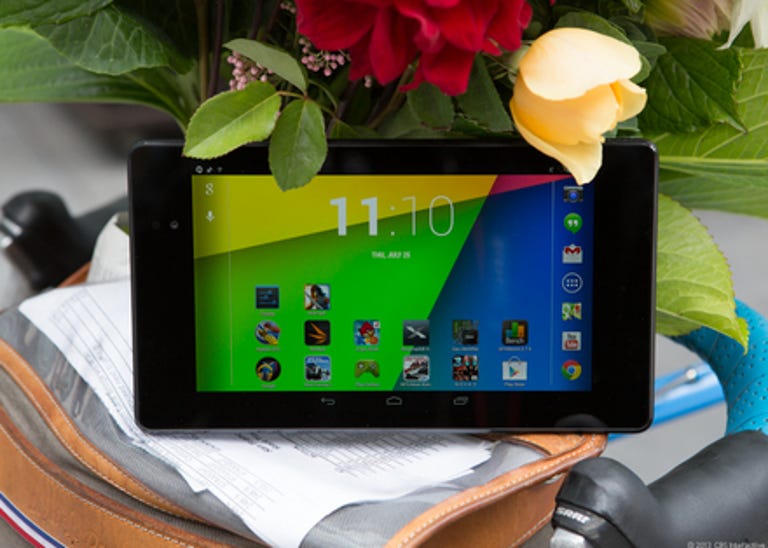
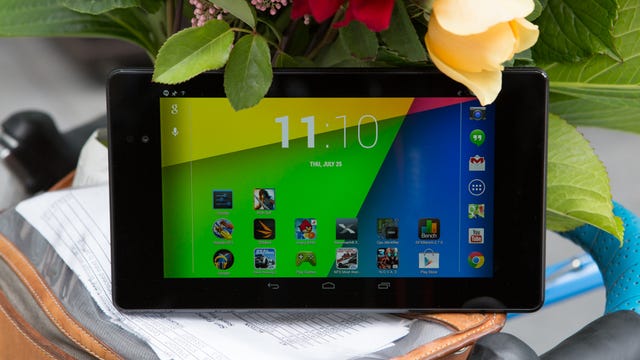
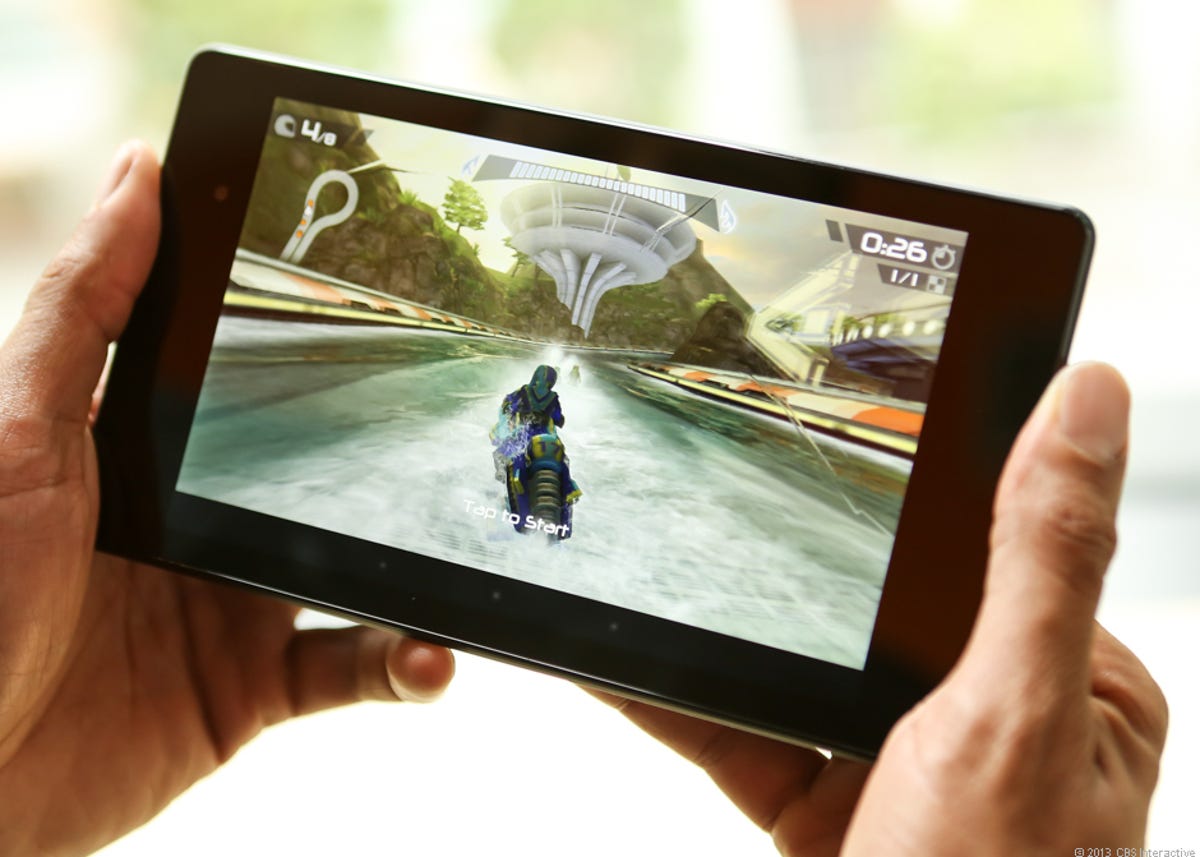
Nexus 7 gets HSPA+, some sun (pictures)

1-2 of 6
Scroll Left Scroll Right

Design
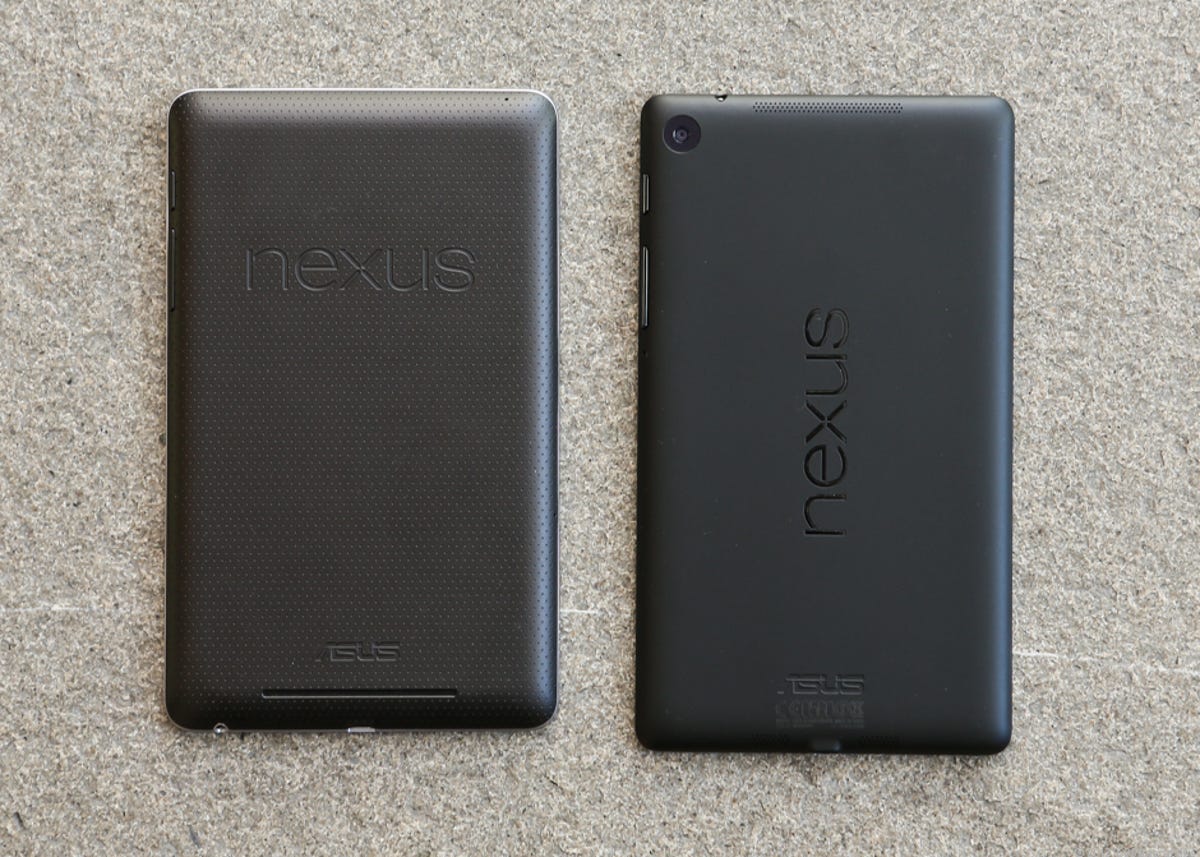
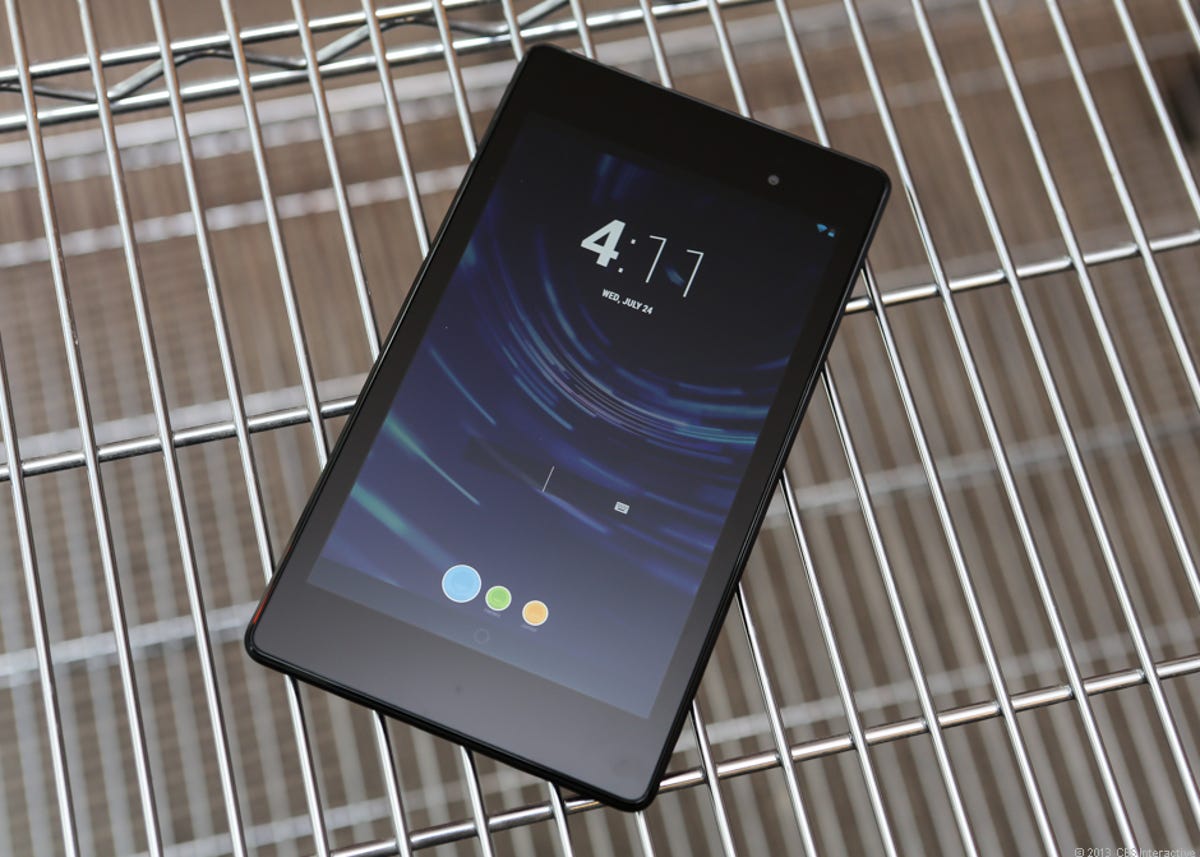
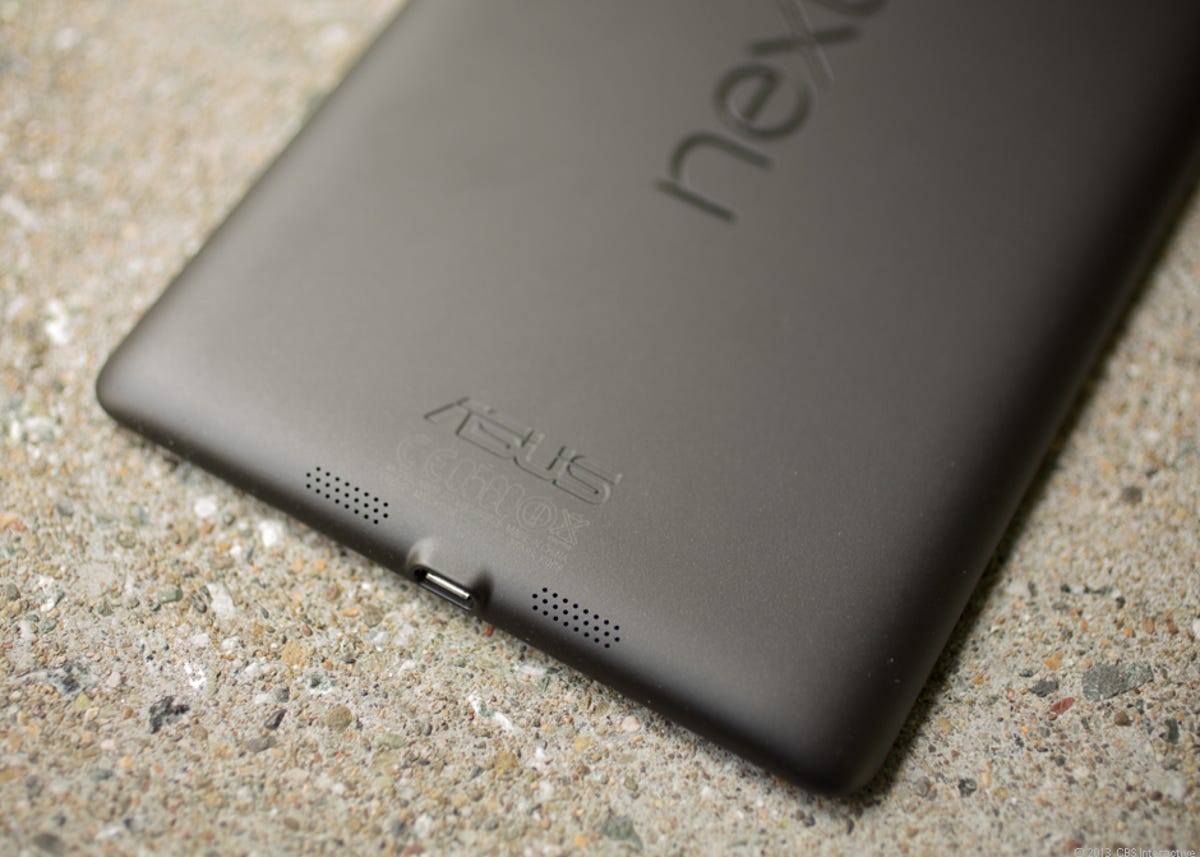
Aside from its new SIM card slot and slightly heavier weight, the Nexus 7 with HSPA+ is identical in look and feel to the original Wi-Fi-only version. It's yet another black tablet in a long line of black tablets; however, it does its best to break from the cookie-cutter mold of most slates. Chief among those efforts is a leathery, grippy back texture, similar to what we've seen on the Acer Iconia Tab A510, but with both "Nexus" and "Asus" embossed on it. It may not look like much, but this seemingly small bit of design panache makes the tablet one of the most comfortable I've ever held.

Then there's the bezel. Held in portrait mode, the right and left side bezels of the tablet are refreshingly thin, while the top and bottom are thicker than what I usually find on 7-inch tablets. While the thicker bezels can be useful as a place to rest your thumbs while holding the tablet, they are a bit too thick for my taste and make the tablet feel needlessly long.

Google Nexus 7 Amazon Kindle Fire HD Barnes & Noble Nook HD Apple iPad Mini
Weight in pounds 0.76 0.86 0.68 0.68
Width in inches (landscape) 7.8 7.7 7.65 7.87
Height in inches 4.7 5.4 5 5.3
Depth in inches 0.4 0.4 0.43 0.28
Side bezel width in inches (landscape) 0.8 0.9 0.3/0.5

Speaking of holding, the Nexus 7 is noticeably lighter than the Kindle Fire HD, but isn't as wispy as the iPad Mini or Nook HD. It's the same thickness as the Fire HD and a bit thinner than the Nook HD, but it can't compete with the iPad Mini's slightness.

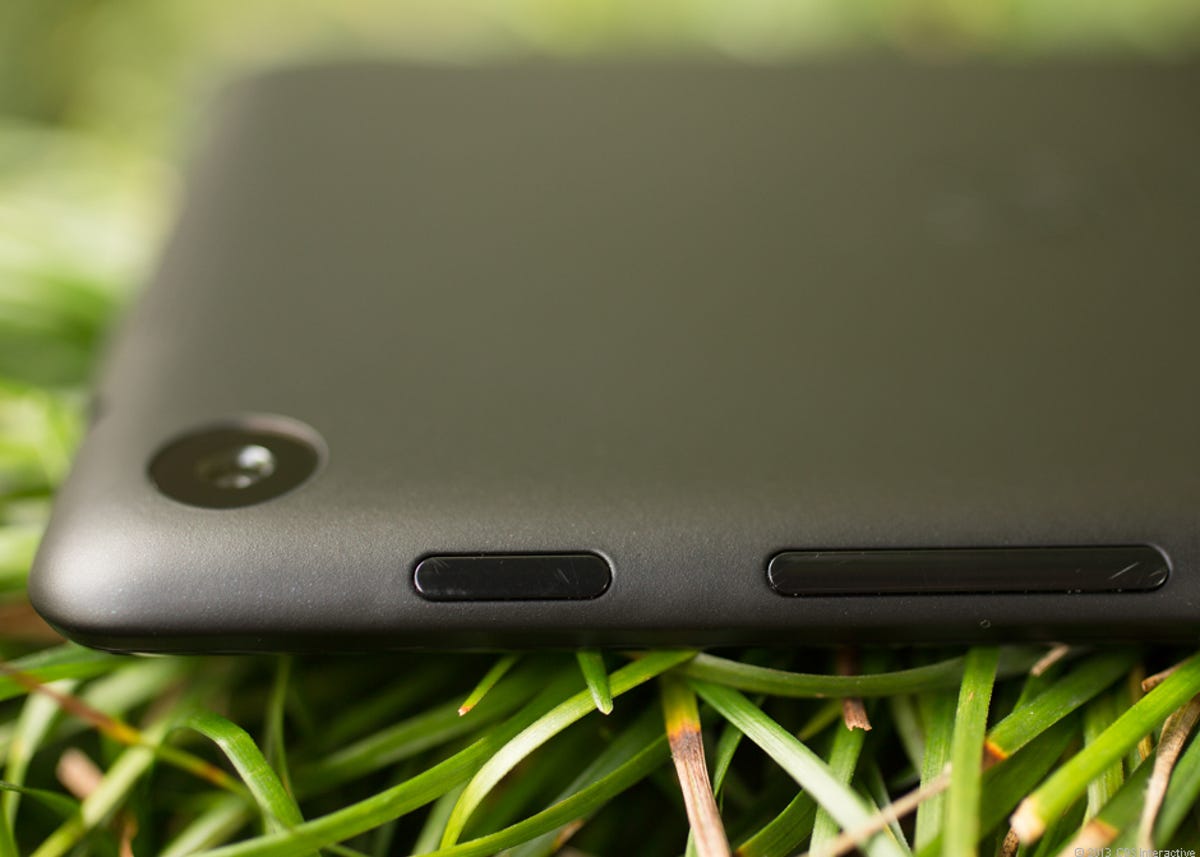
When the Nexus 7 is held in portrait mode and viewed from the front, the 1.2-megapixel front camera sitting in the middle of the top bezel is its lone distinguishable feature. On the right edge toward the top is the power/lock button, closely followed by the volume rocker. Following the right edge down and around to the bottom reveals a headphone jack, with a Micro-USB port in the middle of bottom edge. Right above that, on the back, is a horizontally aligned 2-inch-long speaker slit. The HSPA+ version of the tablet houses a SIM card slot in the middle of the left edge.

Enter the cellular option!

(Credit: Eric Franklin/CNET)

That's it, though. No memory expansion, no HDMI-out, and no back camera. Their exclusion is likely a cost-saving measure, but this simplified design also serves to make the tablet that much more approachable for the tablet layman.

Android 4.0, the second
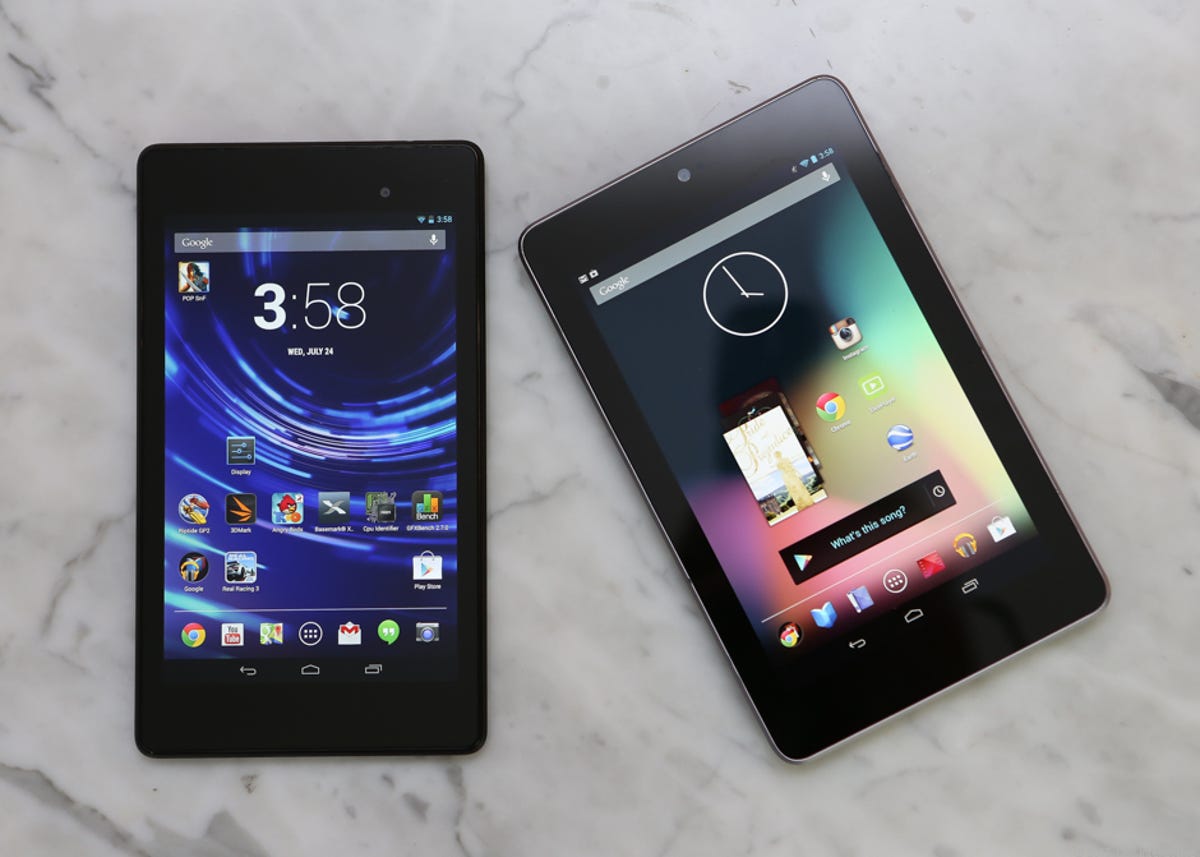
If you've seen Android 4.1 on the Wi-Fi version of the Nexus 7, visually you'll have a good idea of what to expect from version 4.2. It has the same controlled, focused feel and is less intimidating to the uninitiated than the typical Android tablet interface. It also feels less constrained than its original implementation.

The now-familiar tray on the bottom of the home screen is by default filled with Google services apps such as Play, Music, Books, YouTube, and Magazines. There's also a folder housing Chrome as well as Google Maps, Google Plus, Gmail, and other services. Directly in the middle of the tray is the apps button. Swiping up from the home button and across the apps button takes you to Google Now, Google's predictive personalized helper.

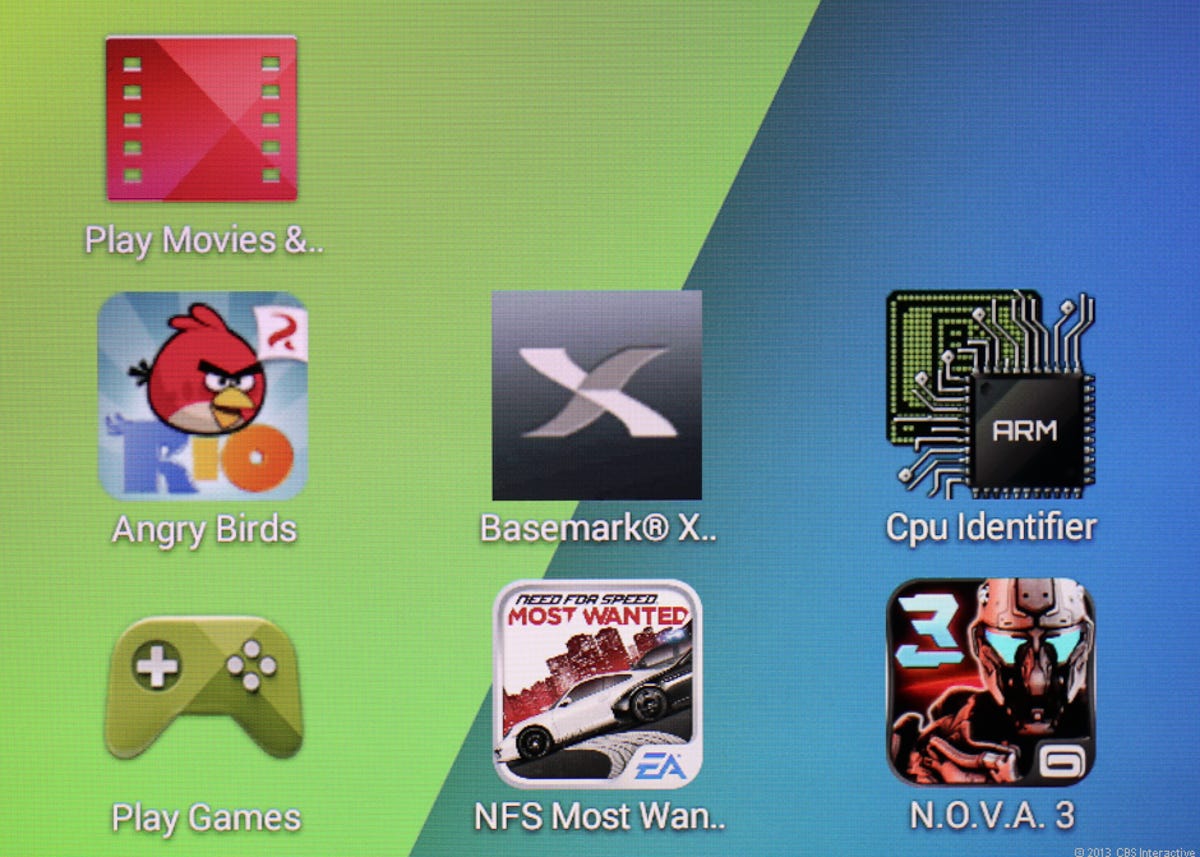
The apps tray now features smaller icons than before.

(Credit: Eric Franklin/CNET)

Google Now uses voice recognition to field queries and displays information such as the current weather, local bus schedules, and nearby restaurants you may be interested in. The thought is that Google Now will give you information when you need it. If it's 5 p.m. and you're about to leave work, it will conceivably update you with traffic information without you having to fetch it. The information would just appear in Google Now at the right time. I've spent a few weeks using Google Now and while I can appreciate its value, since I walk to work, don't travel much, and am not really into sports, its usefulness to me is very limited.

The new new
There are quite a few new features in Android 4.2; some interesting and useful, others just kind of cool. First, the Gesture Type feature is Google's native OS answer to Swype. I'm not a Swype user, but I was impressed by Gesture Type's ability to accurately interpret my finger sliding and determine, for the most part, what I wanted to type. It did, however, have trouble with the word "badass," which is kind of unacceptable to me.

Tablet settings can now be accessed much more quickly. Simply swipe down from the top-right corner to reveal a tray of shortcuts, including brightness, Wi-Fi settings, general settings, battery life, airplane mode, and so on.

That smooth textured back kind of makes the Nexus 7's design.

(Credit: Eric Franklin/CNET)

Magnification attempts to take advantage of the screen's 1,280x800-pixel resolution. After enabling in settings, if you tap the screen three times in quick succession, assets on the screen will magnify in the section where you tapped. This is different from zooming, which scales images and text and applies anti-aliasing to smooth things out. Magnify simply makes things bigger. It's a nice feature for those with poor eyesight, but I was disappointed by the lack of anti-aliasing.

Daydreams is essentially an interactive screensaver that plays when the tablet is asleep and charging. You can choose to display a clock, colors, jelly beans, or, my favorite implementation, Google Currents. Stories from your feed will slowly scroll across the screen, and tapping any of them opens the story in the Currents app.

Gmail gets a new design and a new, awesome feature. Awesome to me, at least. When viewing your inbox, you can now swipe messages away to archive them. As a person who gets a lot of spam in his inbox, this well-implemented addition is one of those details that seems small on paper, but makes a huge difference to your experience.

Thanks to its comfortable design and sharp screen, the Nexus 7 is one of the best e-readers out there.

(Credit: Eric Franklin/CNET)

Multi screen
Multi Screen implements users accounts in Android 4.2. Simply add a new user from the Settings>Users menu and follow the steps to setup an additional user account. New user accounts and all content on those accounts can be deleted by the tablet owner (the primary account) at any time. Also, any other user accounts on the tablet can accept updated app permissions on behalf of the additional account.

To switch to a new user you’re required to enter the lock screen, select the user icon and then unlock the tablet. This is a less elegant solution than the Nook HD’s implementation of profiles which allows you to simply tap the user account at the top of the screen, select your new user, and watch your content change to the new user’s content before your eyes.

Sponsored Premier Brands on CNET


Member Comments

429 comments
talkslow2me
talkslow2me

no hdmi out for a small screen..... brilliant choice. LOL

ethan_white
ethan_white

its a  great product, I'm happy to see this.

gnusgen
gnusgen

I bought a refurb 8gb model and for the most part I'm very happy with it, but I do have some complaints. The main issue is the speaker placement and output. It's just not very loud. The screen resolution is good, but not retina quality. Other minor gripes include general software sluggishness, slow response to orientation change,  random changes in screen brightness even without a change in ambient lighting, and slow charging. 

ethan_white
ethan_white

according to me 7 inch is the best size for tablets/ small tablets

Mr_Moose
Mr_Moose

I loved this device for the 4 months that it lasted.  Do some research before you buy it because you will see this has a serious design flaw.  The number one complaint is battery charging issues--particularly if you happen to drain the battery empty.  Lots of people struggle to get their device back to life if the battery runs dead.  Mine bricked completely.  Even a replacement battery wouldn't work.  I would not recommend this device to anyone now.  If you own one already never let the battery drain below 10%.  Run don't walk to an outlet for charging or you may never see it alive again.

debrinconcita
debrinconcita

I cannot wait I guess I should have waited, Now I could have had this great little Tablet . I just got one recently but it's so good, I just couldn't have waited til then? 

jrrogan
jrrogan like.author.displayName 1 Like


1.0 out of 5 stars WARNING: It will break and be useless - don't buy this!!! Not worth $1.00

WARNING: Screen breaks after being dropped at almost any height, even when contained in padded casing.

My experience: tablet was in a padded coat pocket which fell off a 1 1/2 foot counter onto a hard wood floor. The screen had "spider" cracks across it and was totally unusable. Asus quoted me $165.00 to fix this tablet, which originally cost $199.00. You cannot use this tablet AT ALL when the screen has been cracked - IT"S A 100% LEMON!!!

The Nexus is great, until it breaks, and unless you live in a padded room and never raise this device above 1 foot off any surface, it will break

DON"T BUY DEFECTIVE PRODUCTS LIKE THIS! YOU WILL WASTE YOUR $$$

Amazon should stop selling this tablet until Asus fixes this defective screen

DO NOT BUY!!! 

Mustang29075
Mustang29075

@jrrogan You should be careful with any tablet.  If you break it or drop it, you cannot blame the manufacturer. Anybody that purchases a tablet should think about protection and how they will handle this. Regardless of who you purchase your tablet from and what kind it is, consider the best protection possible.  Some tablets break easily and some are made more sturdy. This tablet is excellent, but it does not mean it is the best one. The Nexus 7 is NOT defective.

debrinconcita
debrinconcita

@jrrogan THANKS for sharing this story with us all, THIS IS Exactly what they didn't Tell us Before hand! Deb in Oregon.

DanielDragonFilms
DanielDragonFilms

There are some complaints in these comments.. but I have not had a single bad experience yet with the Nexus 7.  I bought mine from newegg.com, a computer hardware vendor that has never made a single mistake with me, in over 15 years of buying from them.  Can't recommend them highly enough for buying any kind of tech gear.

As for the tablet itself, I couldn't be happier.  I've not had any issues at all, it plays my videos (1920x1080 Quicktime MOVs & MP4s) with no problems whatsoever. In fact, as a camera operator & filmmaker, playing videos for people on the spur of the moment is why I bought the tablet, and it does this very well.  

I liked that it was very simple to upload my own video & audio files (MP4s & MP3s) to the device from my computer, without any special extra software or interface.

I've also used the tablet as a DSLR camera monitor & controller with the help of an app & the proper USB adapter cables. 

It's great for reading and composing emails, watching NetFlix, YouTube, Vimeo, etc.  I prefer desktop gaming to portable games, but I did download a touchpad soccer game that was fun for a few hours.  Games and video run well on the Nexus, generally speaking. 

Durghan
Durghan

@DanielDragonFilms Which app did you use for doing the monitor and controller features?  And where would you recommend getting the right cables from?


Thanks!

calcnet69
calcnet69

I recently updated to jelly bean 4.2.2 and has a surprise on the page right of MyMedia home page.  There were two "Recommended for (me) because of my area" was Rush Limbaugh app and Drudge Report app.  I hate both wing-nuts and found them to be offensive.  Luckly, a swipe upward got rid of both recommendations.

Now I need to figure how to set up a main screen.

Mustang29075

So far, I think this tablet is the superb. There is plenty to love about this tablet, including the reasonable price and basic capabilities desired in a device. At first, I had a e-reader.  This device can easily replace one and go a little beyond. It is great for reading magazine, but not perfect. Also, it is decent for watching videos. It is uncomfortable watching videos on a small screen so I wouldn't advise watching movies on it unless you really want to. The two main drawbacks are Google Play's serious lack in good tablet apps. It is a huge drawback that you will feel disappointed when you download favorites like Facebook . Also, the front camera feels useless because it's main purpose is for video chatting. If  you do not video chat a lot, then it is pointless (also the camera quality is not that great). I do not understand why many people are complaining about it. It is great, but not perfect. Part of the reason for the negativity is because people clumsy individuals drop their tablet frequently. Word of advice: When purchasing this, get a case and/or screen protector. If you do not, you are asking for trouble and you will be moaning like a child who lost his or her puppy. Overall, this is great for basic usage like reading,watching YouTube, and a few games (especially if you use Google applications and software frequently). If you plan to use this tablet heavily, I recommend stepping up to a good 10-inch tablet or get a ultrabook.

raidermike67
raidermike67

After reading all these reviews/comments I'm staying away from this device, I had added it to my wishlist but will probably get the Barns and Noble Nook Tablet or a Kindle Fire, it's a free anniversary gift from my employer so I'll have my choice of all three.  

captain_crayfish
captain_crayfish

@raidermike67 Don't get me wrong raidermike, it's a good tablet apart from the compass issue so unless you're buying for that (or camera quality) I wouldn't be too deterred.

Worth checking, and very important before you make your decision - what apps are you like to want to use and which of your shortlisted tablets will run them. Unless it (the device) does what you want it's a waste of money

raidermike67
raidermike67

@captain_crayfish @raidermike67 -Thanks for the response but have you read the reviews below?  Almost every single comment has to do with some kind of defect and a complete lack of support from the manufacturer.    Just the number of people experiencing broken screens is enough of a deterrent.   Based on the magazine review I was going to get this instead until I read the reviews!  YIKES!  Google contracted this device out then branded it their own.  

Tyyrlym
Tyyrlym like.author.displayName like.author.displayName 2 Like

@raidermike67 @captain_crayfish People who have issues complain loud and long. People who are perfectly happy with their device have no real reason to come back to a review like this and post anything.

It's a touchscreen device. Like all touch screen devices the screen is prone to breaking if dropped. It's glass. That's something you should expect. Take care of it, put it in a good cushiony case and you will likely be fine.

captain_crayfish
captain_crayfish

@Mustang29075 @raidermike67 @captain_crayfish - I don't disagree Mustang. I think that it's a great little device and well priced compared with others. My comment was "don't buy for navigation"  

I am involved in discussion with suppliers in regard to the compass problem at the moment so will post outcome.

Mustang29075
Mustang29075 like.author.displayName 1 Like

@raidermike67 @captain_crayfish In my opinion, I would explore consumer reviews from various sites. I have a Nexus 7 and it is wonderful. Do not pass up this wonderful device due to some disgruntled consumers. Regardless of what tablet you buy, you will have the possibility of defects and some malfunction.

captain_crayfish
captain_crayfish

Don't buy this tablet for navigation until you have a chance to read all the problems with the compass. It is totally unreliable and swings wildly.

No amount of calibration of softfixes work. Hundreds of complaints but no fix. In fact, no support evident at all.

captain_crayfish
captain_crayfish

I am involved in discussion with suppliers in regard to the compass problem at the moment so will post outcome.

vroot
vroot

what the use of tab if it not included

DUAL SIM CALLING/PHONE FEATURE?

NO REAR CAM WID HIGH PIXL

U HAVE TO CARRY SEAPRATE PHONE FOR CALLING FACILITY 

JUST FOR INTERNET N GAMING?

BIG SCREEN MOB ALSO PROVIDE SAME FEATURES. WITH HIGH mp CAM FRONT N REAR. ANDROID TOO.

SMALL COMPANIES KNOW IT BUT BRANDED STILL NOT. 

PEOPLE WANT ALL IN.  

Tyyrlym
Tyyrlym like.author.displayName 1 Like

@vroot Rear camera on a tablet? Get out your phone or a real camera and stop looking like a tool taking pictures with a tablet.

ds555
ds555

I am on my second device. First one had touch screen issues. The new device has completely gone dead after just 3 weeks. It also had touch screen, grounding, sound crackling, and screen flickering issues. Four times Ive mailed in these dang things, Im done. Great when it worked, but CHEAP CHEAP CHEAP. Yours will break too Im positive, and to get support you have to find someone at corporate that will help you cause the Texas repair facility as well as their Bahamas answering station are worthless.

pd463
pd463

I would be giving this product a 2 or 3 rating at the most. My screen broke one fine day, I did not handle it rough and there wasnt any stress on it, but somehow I discovered this crack within 3 to 4 months of usage. I called up the customer care and they say I need to pay for the broken screen and it would cost ~ 160 USD , I thought I could by a new one with 199 and why the hell would I get it repaired instead ?? I will not recommend this product to any one. :(

keltoid22
keltoid22

My .02 cents.  I love my Nexus 7.  Though I do primarily use it as my ereader - I spend all day on a laptop at work, I try to limit my surfing on my off time.  I downloaded a few games, I have never opened them to play, not sure what I was thinking at the time, lol.

One thing - CHRISSY1987 mentioned the charging.  My charger PLUG that came with mine was faulty for some reason.  My husband is a m. electrician and says its not unusual, so many of these are so incredibly cheap --  the wire itself is fine, the part that the usb wire plugs into and hence into the wall doesn't work.  So use another android/usb plug you may have or buy one.  Or charge from your computer - works fine.  My only problem I've had - first I thought the thing died a week after I got it, turns out it wasn't charging and just ran out of battery.  Been fine ever since I ditched the charger plug.

I also would never move around with it without a case - I have two cases, and since I am VERY careful with my tools, I haven't dropped it, so I can't attest to the cases helping, but I'm sure they would.  I love this thing, and I would highly recommend protecting it and taking care with it. 


CHRISSY1987
CHRISSY1987

Christine Hiscock Howellmy husband bought me the nexus 7 for christmas , everything worked fine 1 month later it was taking me 48 hours to charge and would stay at 2% charged  so we called them and the man told us to send it back e-mailed us an address where to send it to so we did the agent told us to send it some where in the states we thought it was odd but we did . we checked our e-mail days after saying yes they had received but after that no more e-mails so my husband called 1 week later asking what is the deal they said we have but it will take up to a month for them to fix the batteries so we waited checking our e-mail to make sure the status would change NOTHING so my husband called back asking the agent what was going on the agent said im so sorry we have MISPLACED YOUR TABLET someone will call you in 24 hours to fix this problem .so 24 hours when by no phone call husband called back 2 days later asking same thing but o they found it and said it was being repaired waited for our status to change nothing .the week after we called back and they mailed it to ontario to be fix we demanded to talk to a supervisor after asking that the woman on the PHONE HUNG UP ON US so we called back and got threw to a supervisor he said i will call you back within 24 hours to fix the problem that they did 24 hours WENT BY AND STILL NO PHONE CALL so we gave it a couple of days and called back and again demanded to talk to a supervisor he said they never sent it anywhere and they are going to fix the problem he would what do you know call us back in 24 hours IT'S BEEN A WEEK PAST 24 HOURS AND STILL NO PHONE CALL AND NO TABLET , SO PEOPLE BY YOUR TABLET AND THEN THIS IS YOUR COSTUMER SERVICE AWFUL SO I ADVISE ANYONE WHO WOULD GO WITH NEXUS DO NOT BUY IT ,THEY DO NOT CARE ABOUT THERE COSTUMER AND ID YOU NEED THEM TO FIX SOMETHING THAT IS UNDER warranty FORGET IT THIS IS AN OUTRAGE HOW YOU TREAT PEOPLE AND TO THINK I WAS GOING TO BUY 5 MORE FOR OUR KIDS AND OUR HUSBAND NEVER AGAIN WILL I BUY ANYTHING FROM NEXUS OR GOOGLE

ronholland6724
ronholland6724

I would've bought one of these, but with no rear facing camera is useless to me. I enjoy doing financial and productive things with my tablet like paying bills, depositing checks in my bank acct, taking a picture of a document or piece of music and saving it to view later as a picture or PDF, scanning a barcode and shopping on Amazon. Hell, a rear facing camera is indispensable.

Mustang29075
Mustang29075

@ronholland6724 I have to admit, no rear facing camera is disappointing. It appears like this is not the tablet to be used for productive means. After using it for a few days, I knew this was not the tablet to use to work on documents or doing anything productive. It mostly suits entertainment purposes for watching videos and reading. I would recommend you purchase something like an iPad or a Windows 8 tablet. With either one, you can do all of your productive means and use it for entertainment. Sorry, but if you want to use a tablet for productivity you have to cough up extra money for it.

gaiivantstom
gaiivantstom like.author.displayName 1 Like

All of these gripes about quality of equipment and quality of service is making me seriously going with an iPad.

cjdel
cjdel

Sent my Nexus 7 in for repair because the audio jack stopped working (after about a month of use) well over a month ago and never heard a word from them, not even an email to confirm they received it. So I called today, and after about 100 apologies, I find out that they replaced the motherboard and "they should be done soon". Really? They've had it for well over a month and all you can say is they should be done soon... Even the smallest companies understand that keeping the customer informed is essential. The Nexus 7 is my son's and I considered a Nexus 10 for me, obviously I'm hesitant now. What's the sense in purchasing a product just so it can sit in some repair facility.

keltoid22
keltoid22

I had complained that my brand new Nexus 7 died and I was irate -- I deleted the post, because it turns out that the charger is faulty -- I'd had it a week, and though I thought I was charging it all along - it wasn't -- so of course the thing died, but once I plugged the usb end into my computer, it charged just fine, and it works like a charm again. Whew!!  So, I am really loving my Nexus 7 again.

The charger?  Not so much!!

tonyrosa
tonyrosa

today's update: 

so is this the stock answer, you say you will look into it and deliver nothing?

Leonard W.Definitely not the case Mr Rosa, the information was escalated and i am now in the process of having a follow up done, it will be noted with High Priority so we can have this resolved as soon as possible

tony rosayou have said asap since Feb 13

is the update pending santa claus?

what accomodation does High Priority include? just more of your stalling/lack of meaningful response?

Leonard W.I can appreciate your concern Mr Rosa based on what i am seeing work was currently being done up on testing the repair had to be reverted to a wait status as it would be in your best interest to replace the part

As to why you are experiencing the delay I am sorry for this experience

5:53 pmtony rosa sorry is nice, does not address my problem

tonyrosa
tonyrosa

Update, I received a replacement unit (refurbished) from ASUS March 1st. It took a lot of complaining, but they finally relented, let's see how long this lasts. Good luck all!

jboulton98
jboulton98

@tonyrosa The moral of your story is don't purchase from Staples. The whole reason you had to send this to ASUS for a repair is because Staples wouldn't exchange a defective product. Most retailers (Walmart, Best Buy, etc.) will exchange it and do the warranty return on their end. After reading your entire conversation, my conclusion is that ASUS did everything they could do get it done as quickly as possible. I understand your frustration, but they were trying to make it right.

tonyrosa
tonyrosa

@jboulton98 @tonyrosa Staples is useless. That does not however address the issue that ASUS has an unacceptable defect rate, delayed their response and ultimately sent me a replacement unit after a month of poor customer service.  I challenge anyone to post a positive experience with ASUS' customer support.

tonyrosa
tonyrosa

ASUS Live Chat SupportFerani G.Support RepresentativeGood

Tiffrah E.Hello tony rosa. How may I help you?

tony rosai have no update on my nexus 7 repair, isg 7321748, asus has my device since february 7

excuse me februaryu 5

usg7321748

Tiffrah E.I am sorry to here we have your tablet so long.

Let me check that for you.

tony rosai ckd status, sys in progress

Tiffrah E.Based off the information I am seeing, it shows that we received it on February 13, 2013 and started the evaluations from then but as of February 21, 2013 we have ordered a part for your tablet and the technicians are currently waiting on that part to continue fixing your tablet.

tony rosai want a replacement device

you have had my device longer than i have

Tiffrah E.I would not be able to authorize that.

tony rosalet me speak with your manager please

the device was received on february 5, i have the usps confirmation on that

Tiffrah E.May I have a moment to do so?

May I have a moment to connect you to my supervisor?

tony rosayes, thank you

Tiffrah E.Thank you.

You have been transferred to: Ferani G..

Ferani G.Good evening Mr. Rosa I'm seeing where your tablet was sent to us and it's been in servicing for an extended period of time.

I am really sorry to hear that you are experiencing this issue.

tony rosayes, it was purchased january 21, stopped working 2 weeks later, Staples refused to repair it, sent me to google plan store, two days later they had me ship it to ASUS, i had the device for 15 days and ASUS has had it longer than me.

there is no updates online and ASUS mis0stated the receipt date

Ferani G.I must apologize for this Mr. Rosa

tony rosaI am unbelievebly disappointed

i waould like a replacement tablet

the device is defective and your service has been quite unsatisfactory

Ferani G.I have looked into your issue here and I'm seeing that it's currently waiting on a part and this is causing the delay at the moment.

tony rosathe usps tracking number is: 9505 5107 8214 3036 5520 14 you can verify the facts

Ferani G.I will have the service center contacted in regards to having the servicing expedited.

tony rosayour defective device, inadequate service preparedness is nit my fault, it is ASUS"

and when will they contact me, there is no responsivemness from ASUS, other than the online support

I am completely dissatisfied and want a new device or my purchase price refunded in full

I will continue to escalate and use all social media to publicize this inadequate customer service

if you cannot reply to my request, i would like the contact information for your manager

Ferani G.I know how frustrating this must be Mr. Rosa but a refund can only be done with your place of purchase.

tony rosathen send me a tablet

?

Ferani G.Unfortunately under your warranty we can only offer you the option to service the tablet.

tony rosaplease provide me your manager's contact information

I would also like the name of ASUS USA CEO

device defective and you don't have the parts-ridiculous

Ferani G.The parts should be delivered to the service center shortly Mr. Rosa.

tony rosaASUS said that two weeks ago, what is shortly sine the parts come from China? What accomodation are you providing me. In addition, I asked for your manager's contact info and ASUS CEO info. I will be polite, but will not let the matter rest!

Ferani G.I will have to refer you to our Escalation mailbox on usa.asus.com.

tony rosadid that, no response. You are wasting my time and patience.

Ferani G.Once you are on the website you can click on Services and you should see the option for the Escalation mailbox and you can leave all the information there.

I will also have it looked into so the tablet can be sent back to you as soon as possible.

tony rosathis has been a complete waste of time for the following points: 1- you did not replace defective device, 2- you did not refund my purchase cost 3-you did not provide an estimate of a repair, ASAP is NONSENSE with ASUS.

Ferani G.I will have it looked into immediately Mr. Rosa to have the issue resolved.

tony rosacheck the ASUS facebook page, i will publish the horrific custome service experience i have had with asus

Ferani G.I do apologize for your experience Mr. Rosa we should have an update for you shortly.

tony rosaI do not fault you Ferani, but this remains unresolved, logging off now as you have accomplished nothing.

Ferani G.Again I understand how frustrating this is for you.

I will send off the information immediately.

Boothbay
Boothbay

@tonyrosa Did u purchase this with a credit card? If u did, all u  had to do is put the purchase in dispute and let the card company and Asus fighting out and you get your money back that way.

unanamuschicken
unanamuschicken

Hmm. It sounds like, from the first couple of review comments, that I should get a Nexus 10 or Kindle Fire.

kiranrp1990
kiranrp1990

I completely agree with this post as senseforth scores also show the same results... this tablet got 100 score on www.senseforth.com... and shows it is better than apple ipad mini and google nexus 10

tonyrosa
tonyrosa

N7 is a great device until you get the "White screen of Death". Google Play and Asus have the absolute worst customer service I have ever encountered. I;m not surprised the customer service complaints outnumber the positive reviews. A shame really.

servnhim
servnhim like.author.displayName 1 Like

As a word of warning, avoid ASUS products. When they work, things are fine. If you have issues, you are in for a nightmare of a ride. They have quality control issues and support is non-existent. My advise is to avoid their products completely. I purchased a $350 netbook (1018p) and 6 months before the warranty ended, it started having screen issues after calling support and following their firmware update. So, for the next 6 months I called support only to repeat my story, trying to understand why none of my cases were in their system, and waiting for promised return phone calls. I called the day before my warranty expired and was promised that they would work with me. No one called back and again had to go through the same process. Here is the kicker....support then said they could not help me because I was out of warranty.

I have had the same stories repeated by friends purchasing ASUS products. I was a long time user of their motherboards, but everyone who purchased one of their laptops I recommended died within the one year period.

I tell this story as a caution to those looking at the Nexus 7. The iPad Mini may be more expensive, but it is well built and Apple will stand behind the product. If you want an android tablet, look at Samsung, Lenovo, or Toshiba.

nycgameracer
nycgameracer like.author.displayName 1 Like

@servnhim Agree with you. My first nexus 7 had a squeaky glass on its side, sold it after 2 months. Second device was worse, heating up issues, missing touch responses, 2 months of use, the speakers went bad! Had to ask Asus for replacement, which they misplaced, now I had to get refund from them. 

Ipad mini, i agree screen sucks, but it is a premium device that can do  more. Personally I would like a 7 inch tablet than 8 inch as 7 inch easily fits in my jacket. So far I dont see a right tablet in this category. Ipad and Iphone all the way! May be Galaxy Note 8 will bring some hopes? or Nexus 7.7? or Ipad Mini 2? Waiting ...

GTIguy133
GTIguy133

Add me to the tally on broken screens- way too fragile and too expensive to repair.  I did find out that if you buy it with an American Express card, as I did, the purchase price is covered, even from accidental breakage for 90 days from purchase.  That's the 'good news'- the bad news is I filed a claim 94 days after damage and they denied the claim.  Now I'm looking for an alternative to the 7.

Add Your Comment

Conversation powered by Livefyre

ie8 fix

Quick Specifications

  • Release date11/13/12
  • Display type 7 in TFT active matrix - LED backlight
  • OS Android 4.1 Jelly Bean
  • RAM 1 GB
  • Processor 1300 MHz NVIDIA Tegra 3
  • Wireless connectivity Bluetooth NFC Wi-Fi
  • Dimensions (WxDxH) 7.8 in x 0.4 in x 4.7 in
  • Weight

Eric Franklin is a senior editor covering tablets and monitors. He's managed CNET's San Francisco testing lab the last 9 years and has written for CNET, covering everything from CPUs to games, for more than a decade. Full Bio